Your work in three tabs: Timeline, Reports, and Goals

See upcoming plans and recent logs together on the Timeline, build and share Reports by period, and set time-bound Goals tied to projects—with dashboards, progress gauges, and optional share links. Rich descriptions, calendar imports, and @ # ~ mentions stay at the center of how you capture work.
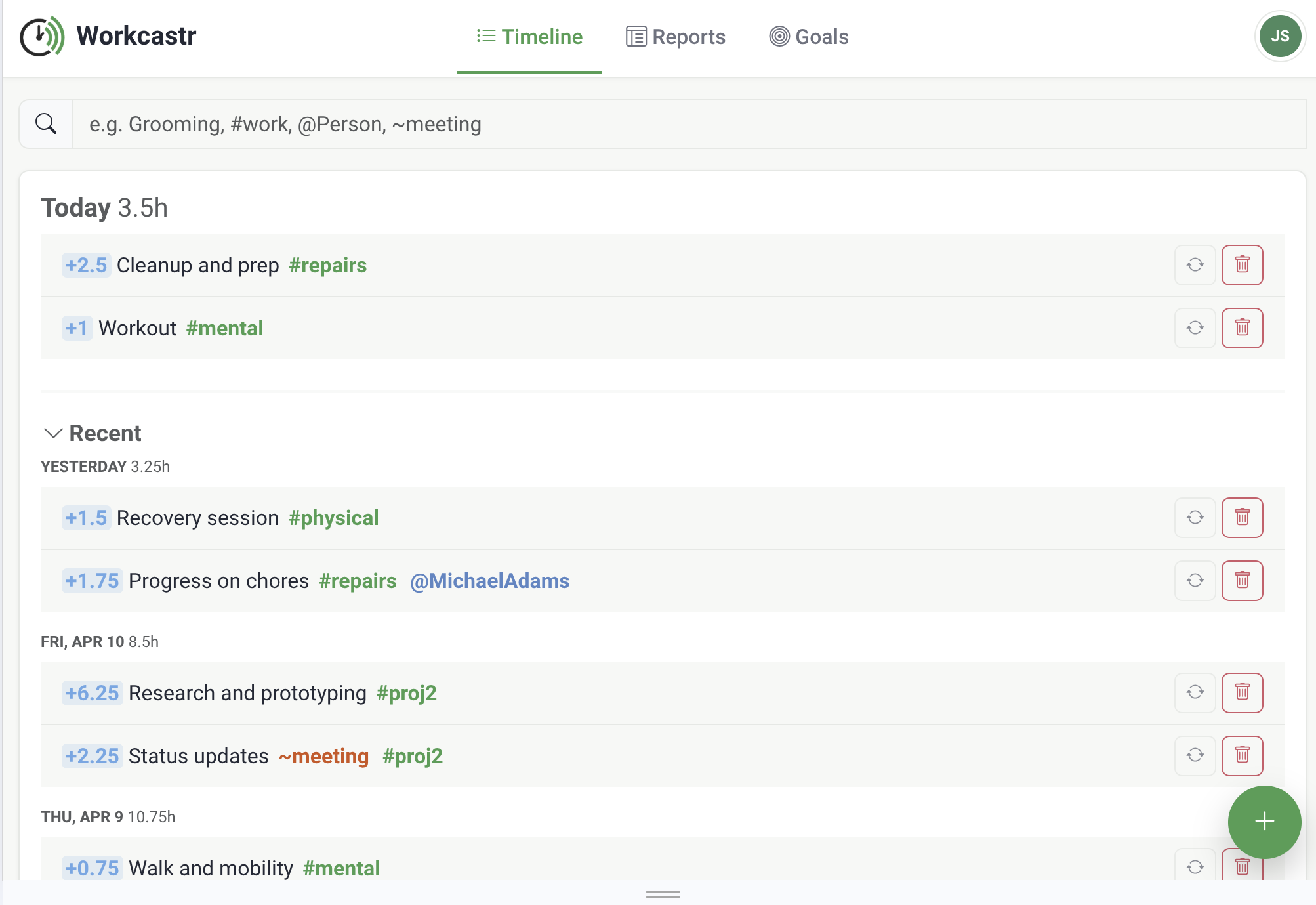
Workcastr app showing Timeline, Reports, and Goals

Built around how you actually work

A clear three-tab layout on desktop, with the same three destinations in the mobile bottom bar—plus the power features you expect underneath.

📋
Timeline

One unified view for upcoming plans, today, and recent activity. Log work, convert plans to entries, and keep context without jumping between screens.

📊
Reports

Create reports, move through weeks or months, and refresh previews on demand. Share a read-only link so clients or stakeholders can view results without an account.

🎯
Goals

Define time-bound targets by #project—total hours, percent complete, or a numeric track (e.g. weight, savings). Open a dashboard with gauges and drill into history; open a chart on any target to see reported values vs. the ideal line over time. Share the dashboard with a link on Pro and Business.

@
Mentions & quick signals

Tag @people, #projects, and ~tags in descriptions. Add +hours, +N% on a project for progress, or =N with a project for numeric milestones—Workcastr parses them and ties them to goals and reporting.

📅
Integrations

Connect Google Calendar, Outlook, iCal, Todoist and more. Import information from external sources as log entries automatically.

🔁
Share reports & goal dashboards

Share reports and (on Pro and Business) read-only goal dashboards with a simple link—viewers do not need a Workcastr account.

How it works

Get from signup to insights in minutes.

1
Create your account

Sign up in seconds. No credit card required.

2
Connect your calendar

Link Google Calendar or Outlook to import events.

3
Capture work on the Timeline

Log time and plans with @ # ~, +hours, +N% or =N on projects. Optionally pull from your calendar.

4
Reports & Goals

Switch to Reports for period summaries, or Goals for targets and dashboards—then share links when you need to.

Simple pricing

Start on Beginner forever, or try Pro or Business free for 30 days.

Beginner

Always free

$0/month
  • ✓ Unlimited projects, people & time logging
  • ✓ 1 calendar integration (Google or Outlook)
  • ✓ 1 shared report
  • No goals (included on Pro & Business)
Get Started
Popular
Pro
$5/month

$50/year when billed annually (~$4.17/mo)

30-day free trial

  • ✓ Unlimited everything for personal use
  • ✓ Multiple calendar integrations
  • ✓ Goals (dashboards, history charts, sharing) & unlimited shared reports
  • No shared projects — solo workspace
Start Pro free trial
Business

Per user · plus tax where applicable

$7/user/month

$70/user/year when billed annually (~$5.83/user/mo)

30-day free trial

  • ✓ Everything in Pro for each member
  • ✓ Share projects, goals, people & tags across your team
Start Business free trial

Frequently asked questions

Quick answers to common questions.

Workcastr supports Google Calendar and Microsoft Outlook. Beginner includes one connected calendar; Pro and Business include unlimited calendar connections. Import events as planned items and time entries automatically.

Workcastr uses per-user data isolation. Your time entries, plans, projects, people, tags, and goals are private to your account unless you explicitly create a share link.

Timeline combines upcoming work, today, and recent history so you can plan and log in one place. Reports let you define views over your data by week or month and share them by link. Goals are time-bound targets tied to projects (hours, percent complete, or a numeric value); you get a dashboard with gauges, per-target history charts, and optional read-only sharing on Pro and Business. On smaller screens, the same three areas appear in the bottom navigation.

Tag people (@name), projects (#project), and tags (~tag) in descriptions—Workcastr creates and organizes them. Use +1.5 (or similar) for hours, +25% with a project for percent progress toward a goal, and =220 with a project for numeric milestones (e.g. a scale reading). These tie naturally into the Goals tab when your targets match those project mentions.

Yes. You can upgrade or downgrade your plan at any time from your account settings.

Yes. Shared reports can be opened by anyone with the link. On Pro and Business, read-only goal dashboards work the same way—clients or stakeholders do not need a Workcastr account.

Yes. Both Pro and Business come with a 30-day free trial so you can use the full feature set before you are billed. Start either trial from your account after you sign up.